Back to Home
Filter Check
Would you like to test your filter settings on this device?
If you have a Chrome browser, you can install our "TAG Filter Check" extension. Click the button below to install it and start testing your filter.
Install ExtensionHow To
Instructions to install and run the extension
- 1
After clicking the blue button "Install Extension", click "Add to Chrome".
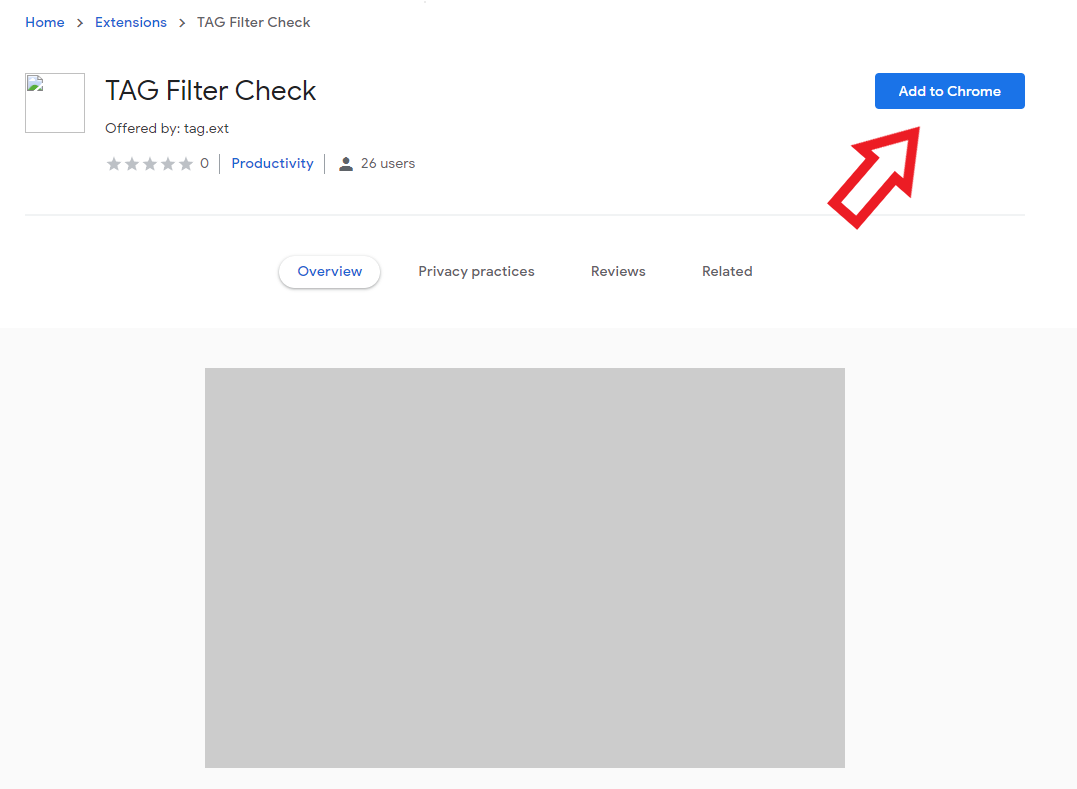
- 2
Click "Add extension" in the confirmation dialog.
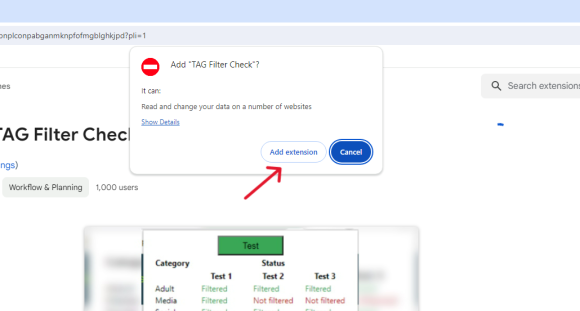
- 3
Open your installed extensions by clicking the puzzle-piece icon in the upper right corner of Chrome.
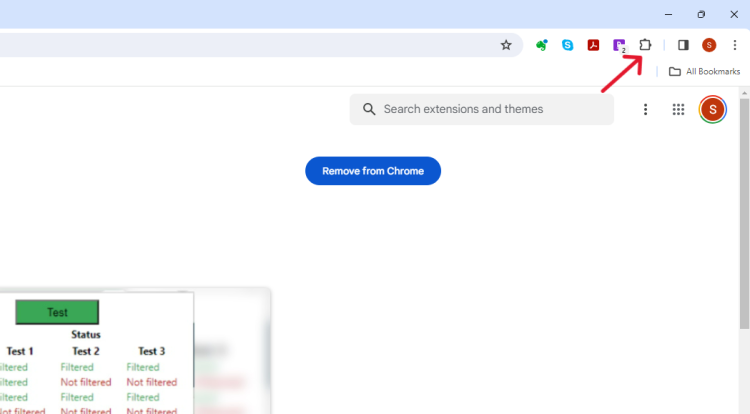
- 4
Click on "TAG Filter Check" in the extensions list.
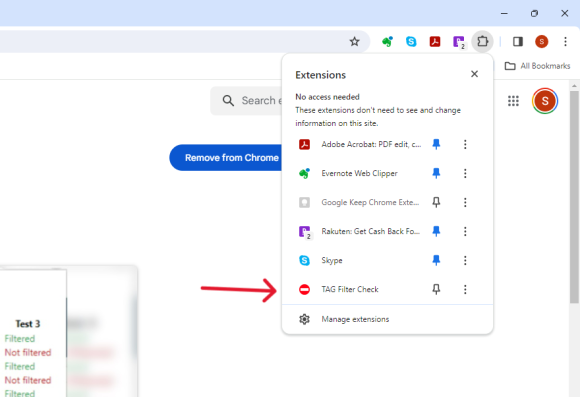
- 5
Click the green "Test" button.
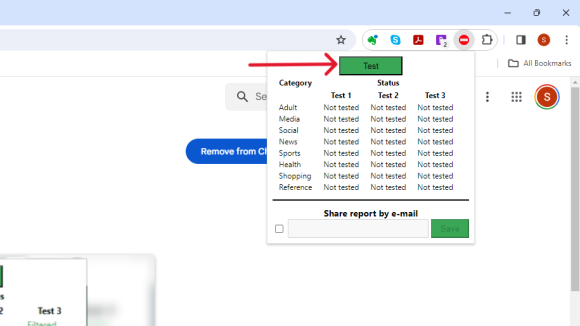
- 6
You will get the results based on your filter settings.
Need help?
Call our live tech support line at 732-730-1824 or find your local TAG office for in-person assistance.